One clear subject
A single portrait works best.
Your photo. Your freestyle.
Turn one clear portrait into a doorway freestyle video with original scene audio. Watch the example, prepare your photo and check access below.
One-time video packs from $9.90. Sign in and check the credit quote before generating.
See the doorway freestyle setup.
Use a well-lit, front-facing photo of yourself.
About 15 seconds with original audio. Review the result before sharing.
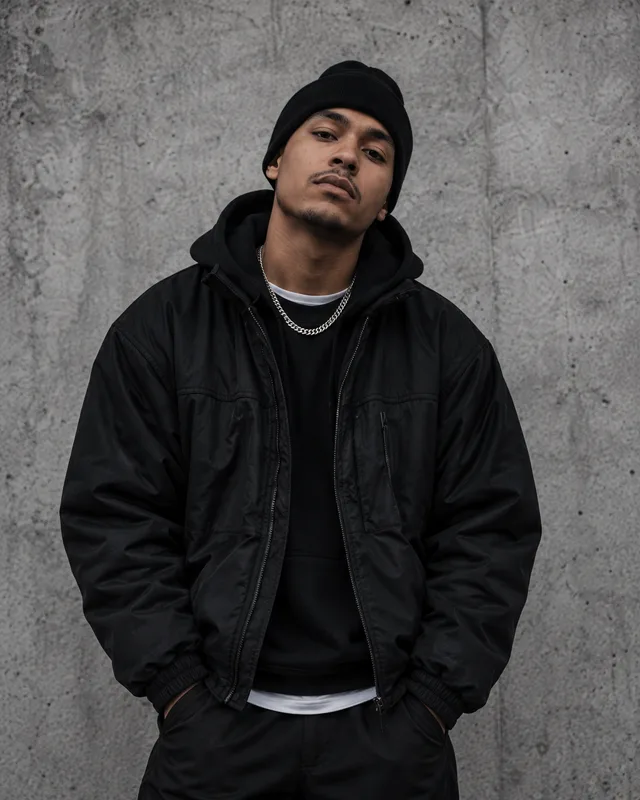
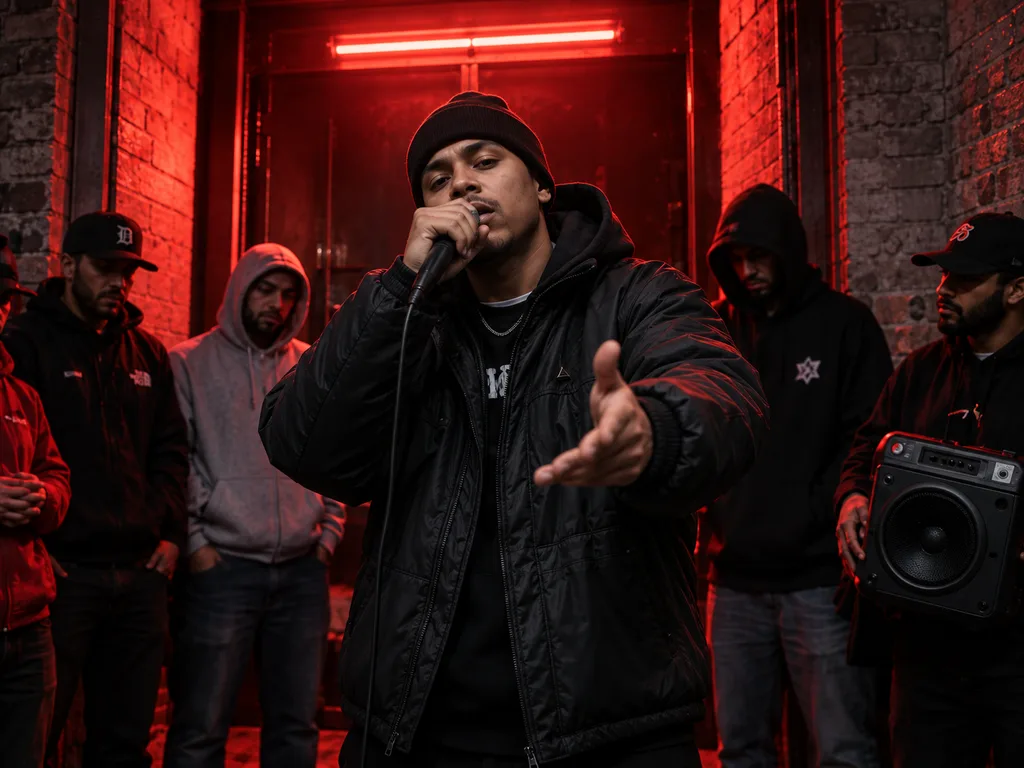
Concept imagery · Not a generated result
A single portrait works best.
Your photo, a freestyle concept.
See the whole result before you share.
AI Bulin 47 is an independent photo-to-video tool for a specific doorway freestyle scene. It uses a portrait as the visual reference for the foreground performer, while aiming to preserve the surrounding crowd and camera movement. The goal is a short performance clip you can review and download, with the reference scene’s audio restored after generation. The tool does not claim endorsement by Bulin 47 or other performers.
About this workspaceStart with the example in the generator. It shows the type of scene, camera angle and movement this template produces. The doorway performance is fixed: uploading a new portrait changes the requested lead character, rather than selecting a different dance or filming location. Decide whether that scene suits your idea before spending credits.
Choose one person with a clearly visible face, hair and outfit. Upload a JPG, PNG or WebP file up to 10 MB. A sharp upper-body image usually gives a clearer reference than a distant group photo. Wait for the upload indicator to finish, then confirm that you have permission to use the image.
Sign in with your Google account and read the quote beside the generate button. The current workflow requests approximately 15 seconds of portrait video. It uses a prepared scene and instructions, so you do not need to write a long prompt. Check the chosen photo before submitting; a new request creates a separate task.
Your task appears in Generation History while it runs. Return there to check progress instead of submitting again. When it completes, play the video with sound, check the opening and ending, then use Download Video to save the MP4. A completed status means the file is ready; you still need to judge the visual result.
The silver-gown example above is an actual generated result using an original image of a fictional adult. It demonstrates the requested clothing and character in the red doorway scene. The concept illustrations in the How to panel are labelled separately, so you can distinguish design imagery from the output you are assessing.
In our website test on October 11, 2026, the 15-second workflow produced a 14.71-second portrait MP4 at 480 × 854 pixels and 24 frames per second. The site restored the source audio, saved the final file, played it through to the end and downloaded it successfully. This is one verified example, not a guarantee that every input will preserve the same details or produce an identical duration.
For a Bulin 47 AI video, use even lighting and a face large enough to inspect without zooming. Keep the hairstyle, shoulders and distinctive clothing visible. A plain background can make the subject easier to distinguish. Avoid strong beauty filters, heavy compression, deep shadows, covered faces and several people competing for attention.
The reference clip contains fast gestures, turns and people passing in front of the performer. Those moments make identity and clothing harder to preserve. If your goal is to compare outfits or characters, keep the scene the same and change one input at a time. Review the entire clip before deciding that a different photo improved the result.
The current template uses a 15-second reference performance and requests a matching output. The verified result is slightly shorter, at about 14.7 seconds. The output is vertical and suitable for previewing in a portrait player. It is a 480p workflow; this page does not promise HD or 4K output.
The finished clip includes the reference scene’s audio. The video is generated first, and the site then combines it with the matching audio in the cloud. You do not need a local editor for this step. This preserves the source recording rather than generating a new song or a voice from your uploaded portrait. If a result is still processing, wait for the completed version before judging its soundtrack.
Use the template to explore a character concept, compare a wardrobe idea or make a short performance study with a photo you are entitled to use. The fixed scene helps you compare how different portraits affect the lead character. For a personal experiment, first check whether the face and outfit stay recognizable during gestures and partial occlusion.
The Bulin 47 AI video generator focuses on this particular freestyle setup. It is not an unrestricted scene editor: the page does not offer custom choreography, multiple replacement characters or a choice of locations. If you need a different kind of creation, review the separate AI video workspace and its current availability before preparing another project.
Purchase a one-time video pack from the pricing page to add credits to your account. The generator shows the required website credits before submission. Website credits are the balance used by this site; they are not the same unit as a model supplier’s credits. Read the current quote rather than assuming that every video length has the same cost.
The website test covered both a successful task and a provider rejection. The rejected request returned its website credits, and the successful request was charged once. If a task fails, check its status and your credit history before trying again. If it remains unresolved, contact support with the task identifier. Do not include passwords or payment details in a support message.
Watch for changes to the face, glasses, earrings, outfit edges and hands. Fast movement can introduce blur or distortions, and a character may look consistent in a still frame but change during a turn. Also check that the people around the lead performer remain separate and that the ending does not jump unexpectedly.
Listen to the clip as well as watching it. Restoring an audio track does not guarantee perfect lip synchronization. AI output should be presented as generated or edited where that context matters. Uploading a portrait and receiving an MP4 does not establish permission to use a person’s likeness, the reference footage or its music commercially. Review the acceptable use and privacy policies before uploading, and resolve the permissions needed for your intended use.
Return to the freestyle generator to prepare your photo, or check access, credits and the other creation workspaces.
On this site, both names refer to the same photo-to-freestyle workflow on this page. You upload a portrait for the lead performer in the doorway scene. AI Bulin 47 is an independent service, not an official artist product or an endorsement.
Yes. The doorway template already supplies the scene instructions. Your main input is one clear portrait. Review the example and the upload preview to make sure the selected scene and person match your intention.
Generation uses purchased website credits. One-time packs start at $9.90, with no subscription. The balance and quote shown beside the generate button determine whether your account can submit a task; there is no unlimited free generation.
The current workflow restores the original audio from the reference scene after video generation. It does not create a new song. Having audio in a downloaded file does not grant a music licence or permission to publish the recording.
This template is designed around one lead performer and one reference portrait. A group photo makes the intended subject less clear. It does not offer controls to replace every person in the scene, so use a single-subject image.
The workflow requests an output matched to the reference video. The verified example lasts about 14.71 seconds. Actual duration and visual details can vary, so treat 15 seconds as the approximate target and inspect your completed file.
Sign back into the same account and open History. Submitted tasks are saved there with their status. Once a task completes, open the result or use its download control. Check the existing task before submitting another request.
That depends on the permissions you hold for the portrait, depicted people, reference footage and soundtrack. The generator does not supply those permissions. Read the acceptable use policy and confirm the rights for your specific project before sharing.